Showing posts with label February. Show all posts

Wednesday, February 26, 2014

23 Mobile Things - Thing 11 - Library & Reference

ERHS Media Center Welcome Display
Although I am familiar with ELM (Electronic Library for Minnesota) and have used their databases for years, I was surprised that I learned a few new things in Thing 11. One of the most basic pieces of information I gleaned was from the ELM Facebook page, which I have "liked" for a long time.  The ELM Facebook page is a great source for "on this day" type of information.  We have a "welcome" white board at the entrance to the Media Center where we display current events and things particular to the day.  This may not seem too spectacular, but help coming up with interesting information to display every day is very much appreciated!

As a refresher for ELM database searching, I used my iPhone to search Ebsco's Academic Search Premier.

ELM (elm4you.org) on iPhone
The search performed identically to my desktop computer.  It is good to remember that this in not an app, but rather the ELM website accessed through Safari, or any web browser (elm4you.org).

Academic Search Premier Search for Snowy Owl

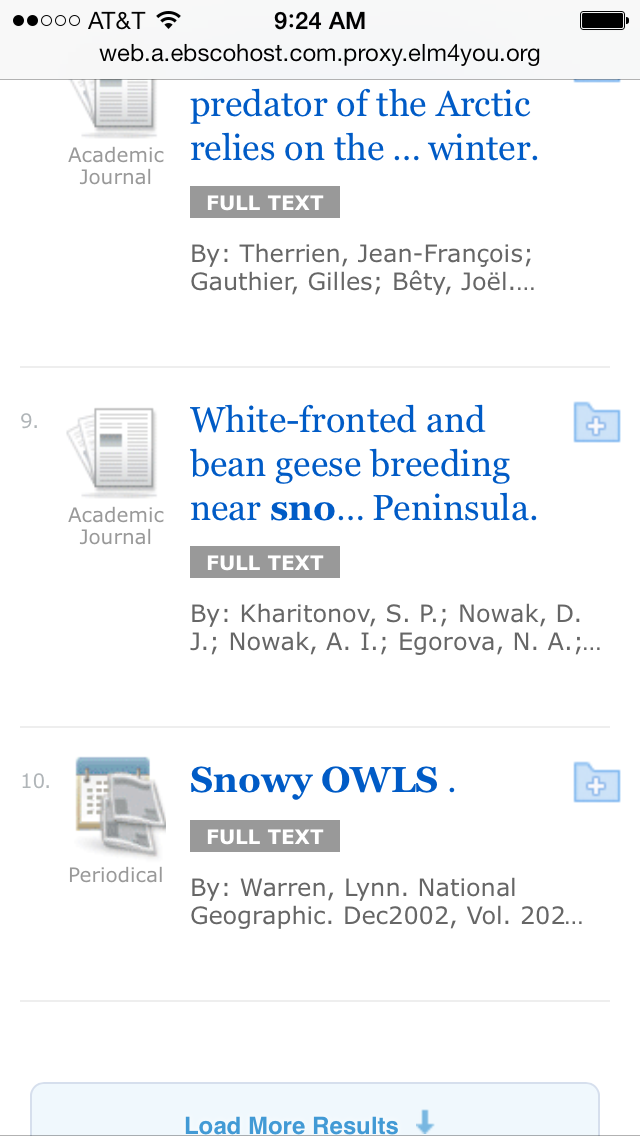
Search Results for Snowy Owl

Article Found by Snowy Owl Search

My favorite excerpt from my search for "snowy owl," is:

"Harry Potter novelist J.K. Rowling cast a snowy owl as her orphaned hero's courier and companion.  That seems perfectly fitting: Swift, strong, beautiful, and dauntless in caring for their young, these winged icons of the Arctic are magically fascinating---to boy wizards and scientists alike."

The Elk River High School Media Center uses several apps.  DestinyQuest allows users to search our library catalog and Follett Enlight K-12 is our eBook reader app.  We also use Gale's Access My Library app to search our databases.


That's all I've got for Thing 11, but as you can see from the photos below, I am still having fun with Thing 9!

Out My Front Door

Tommy

Friday, February 14, 2014

23 Mobile Things - Thing 10 - Sharing Photos

Funny!  I had just posted this Throw Back Thursday photo to Facebook just prior to opening Thing 10.  Photography has become one of my favorite hobbies and I love sharing photos.


Throw Back Thursday: Family photo at our surprise 25th wedding anniversary. (February 2011)
Instagram
I am already an Instagram user, so I did not have to register for Thing 10.  The video provided a good reminder about using hashtags (#) and the @ symbol to tag people.


My Instagram Profile
For this Thing, I took a photo in the Media Center using Instagram and then enhanced it with the Walden (of course!) effect, adding a focal point on the yellow poster and choosing the HDR option.  I did not choose to add a frame for this photo.


Instagram Photo of ERHS Media Center
I then proceeded to make my very first Instagram movie!  This is kind of like the Twitter of videos.  With only 15 seconds, the movie has to be short and sweet!


The article 10 Interesting Ways to Use Instagram for Your Library has got me thinking of ways we could use Instagram to help promote the Media Center. 

Of the optional apps listed that play nicely with Instagram, I already use Pic Collage.  However, I really like using the Fuzel app.  This app has lots of really fun and unique collage options.


Fuzel Collage of ERHS Media Center using Instagram Photos
Before I leave Instagram, here are a couple of favorite Instagram photos that I have taken in the past.


Duluth Harbor
Minnesota State Fair

Snapchat

Oh, snap! Working in a high school, I have heard about Snapchat, but have never been interested enough to check it out.  Thing 10 provided me the opportunity to learn more about this app.

In the Should Public Libraries Use Snapchat for Marketing? article, according to a Pew Research Center report, 26% of 18-29 year olds, 5% of 30-49 year olds, and 3% of 50-64 year olds use Snapchat.  This indicates that I am now part of the 3% for my age group, but my 26 year-old daughter does not use the app.  I would venture a guess that the 26% group includes users far younger than 18 years of age.  This article also stated that the appeal of Snapchat for teenagers and young adults is that "there's no record left behind for parents or potential employers to find."

After adding Snapchat to my iPhone, it searched for my contacts that are using the app.  Only five of my friends showed up as current users.  And, the one friend, of that five, that I chose to help me test out Snapchat didn't remember how to log-in, since she had used the app only one time at the insistence of a friend.

Since 23 Mobile Things is promoting the use of various apps in the library setting, and since I work in a high school library, I read, with interest, the articles in Thing 10 and checked out both libraries that are using Snapchat.  But, in the back of my mind, visions of horror stories kept dancing in my head.  Our district must be leery about Snapchat, as well, since it has been blocked at the highest level.  Not even an administrative password override will unblock the site.  This makes me nervous, and it is not very likely that Snapchat will be an app our Media Center will use, since it is so strictly blocked.  What would be the point?  Other hindrances in using Snapchat in our Media Center are our district's cell phone use policy and the very real concern about bullying and sexting.

My wary feelings about Snapchat may be an indicator of my age.  My concern is the teens and pre-teens that are using Snapchat may not have the wisdom to make good judgments about the appropriate use of this type of app, since what they post supposedly vanishes without a trace in 10 seconds or less.  Don't get me wrong, there are very responsible young people out there, and adults use poor judgment at times too, for example, Anthony Weiner and his sexting escapades.

I wanted to learn more about what others are saying about Snapchat, so I did a little internet research.  In his article, Snapchat, Another Example of the Hubris of Privilege, Samiur Rahman makes some interesting observations.

  • Facebook offered to buy Snapchat for $3 billion and Google offered $4 billion (yes, that's a "b" in from of "illion"), and Snapchat turned both of these offers down.  Mr. Rahman sees this as arrogant on the part of Snapchat CEO Evan Spiegel.  He further states that, "I would be hard-pressed to find someone who thought Snapchat was actually useful to the world.  Popular, yes, and fun too, but not particularly useful.  Certainly not $4 billion useful."
  • Rahman goes on to speculate that Mr. Spiegel is a spoiled, little rich kid, and he doesn't seem too far off.
  • Shortly after Snapchat turned down billion dollar offers to sell, it was hacked...big time.  For a company who promotes itself as a vehicle for ultimate user privacy by deleting snaps from the Snapchat servers in seconds, this is a pretty big issue.  According to his article, Rahman points out that Snapchat had been warned about the hack months before it came to light and that they ignored the risk to their users and did not fix the app.  Furthermore, the owners have never apologized for the hack.  In the age of stolen identity and cyber-security threats, this is a very real concern.
  • Rahman also has some interesting things to say about the current state of tech entrepreneurship.  It is worth a read.
Another article I found interesting is, Snapchat Sexting Scandal Could Scare Off Investors by Kaja Whitehouse, published in the New York Post.  Again, shortly after Snapchat turned down billion dollar offers to sell, it was caught up in a sexting scandal when Montreal police arrested 10 teenage boys on child-pornography charges for passing pictures around of girls ages 13 to 15 in sexually explicit poses.  Whitehouse states that, "This seems to underscore the danger of this app, especially for its young users." I agree.

In the article, Ten Things You Need to Know about Snapchat by Stuart Dredge for The Guardian, many of the same concerns were expressed as in the two articles above.  The topic of bullying on Snapchat is addressed, which is another very real concern for every school district.  Mr. Dredge links to an article which tells the story of a young girl's experience with cyber-bullying, in part, thanks to SnapChat.  I found the article chilling.

Even though sexting and cyber-bullying are not the biggest draw for teens to use Snapchat, these are very real issues and simply cannot, and should not, be ignored.

In conclusion, I see the appeal and fun of Snapchat.  I do, however, see a very real dark side that I am sure our school district will want to avoid.  I am a very liberal user of Web 2.0 and iPhone apps and have never been nervous about trying new technology.  Snapchat is the first app I am unsure about using.

Wednesday, February 12, 2014

23 Mobile Things - Thing 9 - Taking & Editing Photos

Photography is one of my favorite hobbies, so I was excited to explore some different photo apps in Thing 9.  I tried to use the same base image for all apps.

Original Photo of Coborn's Shopping Bag - Photo Credit: Zoma Olson (me)

LINE Camera
To test out this app, I selected my original photo.  Then, I added the Charcoal filter, which made the image more black and white.  Text was easy to insert and I was able to change the color and add a shadow effect to the text.  I found it impossible to edit the text once I had applied it.  I started out with a longer quote and the app split up words randomly, the last letter moved to the next line, etc.  I ended up starting over and choosing a smaller saying.  I wish there was an option to center the text.  At first, I was not able to access the border or sticker options, but after I turned off my iPhone's wi-fi connection to school, it worked.  I am sure this has to do with our school's filter program.

LINE Camera blocked by School's Filter

Original Photo Edited with LINE Camera

Photo Editor by Aviary
Using the same original photo, I added the Metropolis effect, the Splatter frame and two pink heart stickers.  These were all from the basic free options.  More options are available for sale.  It did take quite a long time (~15 minutes) to load even the free option packets.  It is nice that printing to Walgreens is an option from this app.  Although there are lots of ways to share my edited image, it wasn't intuitive for me how to save to my phone's photostream.  Sadly, this app and website is blocked by our school's filter, so I was unable to use Aviary's Help to answer my questions.  I remember having this app in the past, but I think the sharing frustration is why I had deleted it.

Not able to use Aviary Help because of school filter

Original Photo Edited with Photo Editor by Aviary

Color Splurge
I have used the ColorSplash app before and Color Splurge is almost identical to it.  This type of app is very fun to play around with.  To add text, frames or stickers, the Color Splurge image would need to be saved and then uploaded into another app.

Original Photo Edited with Color Splurge

CamMe
I am not a selfie kind of gal, so this was out of my comfort zone, but the app is easy and kind of fun to use!

Probably my one and only selfie!  Taken with CamMe


23 Mobile Things - Thing 8 - Social Media Management Tools


As you can see, I am social media connected!  Going in to Thing 8, I am intrigued by the possibility of using one app to compile all of my social media conversations.  Sort of like the one ring to rule them all in the Lord of the Rings!  Let's see how this goes.

Cloze

The hardest part of setting up my Cloze account was to remember all of my user names and passwords for my social media accounts.  After much time and brain strain, success!  After playing around with my Cloze settings, I now get an email with current updates to my social media accounts.

As a newbie Clozer, my first observations are:


  1. Cloze has a bonus over Hootsuite in that you can add your email accounts to your Cloze stream.
  2. How does Cloze decide who I am losing touch with?  I am sure it is some sort of algorithm, similar to what Facebook uses to populate your Newsfeed with the posts they think are most important to you, how almost every site on the internet brings specifically selected advertisements directly to your screen, and how Amazon recommends products they think you cannot live without based on your past searches.  I understand the reasons companies do this, but who is important to me cannot be determined by an algorithm.  Just sayin' Sorry, I digressed.
Hootsuite
First of all, Hootsuite wins in the name/logo category.  I love the owl.  I know, this is not a very sensible way to evaluate an app, but I'm just being honest here. My favor toward owls is due to recent snowy owl sightings.  They are totally awesome birds!

Photo Credit: Zoma Olson (me)
Now, on to the actual app.  Downloading Hootsuite and setting it up was much easier than Cloze because my user names and passwords for the various social media accoutns were fresh in my brain from siging up for a Cloze account.  I did encounter trouble setting up my new Hootsuite account.  After trying several tweaks to my wi-fi setting, I ended up turning off my iPhone's wi-fi and using my service provider's data.  This allowed me to connect my various social media accounts to Hootsuite.  It turns out that Hootsuite is blocked at our school.

My newbie observations for Hootsuite are:
  1. I wish Hootsuite supported Blogger and Instagram.  This is a wish for Cloze, too.
  2. The ability to schedule tweets and posts is neat.  I'm not sure why I would use this feature, but it's nice to know it is available.
  3. Being able to Bump to connect with people is just plain awesome.  Bumping is fun!

To be honest, I am not sure if I will continue to use either Cloze or Hootsuite.  Although it is nice to have all of my social media feeds in one location, I don't really have a problem checking each one individually.

Back when I was participating in 23 Things on a Stick, our school's filtering software was an irritant.  I am sure the school district has to err on the side of caution, but it continues to hamper my 23 Mobile Things learning experience.  As mentioned above, Hootsuite was blocked, but Cloze was not.  The Minnesota Multitypes are using a Tumblr blog to share participant posts and answer questions for 23 Mobile Things.  My boss is using Tumblr, Scott's 23 Things, to track his 23 Mobile Things progress.


As you can see, I will not be trying to override the Tumblr block at work/school.  It is categorized as "porn" by our district's filtering system!  Yikes!

Wednesday, February 5, 2014

23 Mobile Things - Thing 7 - Content Saving & Sharing


Hi, my name is Zoma, and I'm a Pinoholic.

My Pinterest Stats...and counting!

I confess, while waiting for Steve, my husband, to come home for supper, I check Facebook, play a couple of games of Bejeweled Blitz or Sudoku, and then settle in to find treasures on Pinterest.

You may be wondering why Pinterest is a good library app.  Let me explain!

Pinterest is an "invite only" site, which simply means you need to request access or be invited by a friend.  You will also need a Facebook or Twitter account.  I learned early on to change my settings so that my Pinterest activity does not show up on my Facebook wall and Twitter page.  My friends do not need to see all of my pinning activity!

Once you have joined Pinterest, you will be able to create "Boards."  Basically, a Board is like the old-fashioned cork board where you used a push pin to display your favorite photos, phone numbers, latest crush, etc.  Some of my Boards are: "Favorite Recipes," "Photography I Love," and "Places I'd Like to Go."  I use Pinterest for inspiration and to organize ideas that I want to remember.  Again, you may be wondering what this has to do with libraries.  Well, I also have set up these Boards: "ERHS Media Center," "Cook Book Stuff," and "Tech Stuff."

My "Cool Book Stuff" Board

My "ERHS Media Center" Board with new pins via 23 Mobile Things

When I find "stuff" (pictures, display ideas, quotes, book lists, cool technology) that I could use in the Elk River High School Media Center, where I work, I pin it to the appropriate board. Check out my "ERHS Media Center" Board here.

Pinterest allows you to "Follow" other people.  The site will automatically give you a list of your Facebook or Twitter friends that are using Pinterest and you can invite friends using their email address.  You can also "Follow" any Pinterest user.  So, if someone pins something that interests you, you can choose to follow that person.  This is a great way to build up your various boards. It is fun to see what your friends are pinning, explore the most popular pins, or do a subject search.

One of My Followers Repinned My Pin

I also enjoy sharing and recreating displays for the Media Center that I have pinned.   Thing 7's Pinterest page shared a link to School Libraries to follow on Pinterest.  This is a great resource and I am now following several more library folks!

Thanks to Thing 7, I Found More Boards to Follow
When Pinterest gives my an idea or inspiration, I love trying the pin out in real life.  Here are some examples of Pinterest inspired projects I have completed for Elk River High School's Media Center.  My pins in action!

Block Out Poetry is a great way to utilize discarded books.  This would be a fun student activity in the Media Center or an English classroom.

A New Pin from Thing 7

My Attempt at Recreating the Pin


April is Poetry Month.  I created this "Poet-Tree" for Christmas this year, but it will reappear during April.

My ERHS Poet-Tree
There are two sides to every story.  I found this graphic on Pinterest, printed it out and now we use it to spotlight books.

There are Two Sides to Every Story


My new sign for the ERHS Classics section. Watercolor on canvas with quote


As for the other topic for Thing 7, Bitly, I already use this app as a URL shortener for Twitter and a newsletter I publish, but I probably will not use it as a content sharing/storage tool.  I already have Pinterest and Feedly, and don't have the time or desire to add yet another app to keep current.

Tuesday, February 4, 2014

23 Mobile Things - Thing 6 - Creating & Editing Docs

In Thing 6, I learned a couple of ways to create, edit and save documents using a tablet or phone.

The first app to explore was CloudOn.  CloudOn allows you to bring your Micosoft Office documents (Word, Excel and PowerPoint) to your device and the document will appear exactly the way they do on your computer.  To successfully use this app, you have to have an account with Google Drive, Dropbox, Box, Skydrive, or Hightail.  I have both a Google Drive and Dropbox account, but chose to experiment with Google Drive, since this is preferred in our school district.  It was very easy to set up a CloudOn account and link to my Google Drive account.

I created a new Word document using CloudOn.  At first I tried to use the voice-to-text feature on my phone, but that booted me out of the application, so after logging back in to CloudOn, I typed in my document the old-fashioned way.  It was very easy to share my new document to Google Drive.
Creating a New Doc with CloudOn

Typing my New Doc in CloudOn

Successful Upload from CloudOn to Google Drive

The video posted in Thing 6 about CloudOn stated that this app would not work on an iPhone, but it worked just fine on mine.  Other features I like about CloudOn is the PDF viewer and graphics (image) viewer.

Two things I didn't like about CloudOn are 1) spell check is not free, and 2) you can only be linked in to one Google account at a time.  Since I have both a work and a personal Google account, this is a little frustrating.

The next app I learned about was QuickOffice.  This, too, was a very easy app to use and I successfully set up an account, created a new document and uploaded it to my Google Drive.  A plus for this app is that spell check is free and included in the app.  I probably should have remembered that spell check was free before taking the photo below!

Typing my New Doc in QuickOffice

Successful Upload from QuickOffice to Google Drive

Opening up QuickOffice Document in Google Drive on my Desktop Computer

SignNow is an app that allows users to sign documents from their devices.  I didn't have a document that needed signing, so I initialed a photo I had taken from my phone.

Initialed Photo
With all of these apps, it would be much easier to use a tablet than my iPhone, and use a stylus rather than a finger, but I still think I prefer to type documents on my desktop or laptop.  I like bigger keyboards, and I cannot lie!

Sunday, March 13, 2011

Vegetables

Week of February 28-March 6, 2011          Theme:  Vegetables


"Let my words, like vegetables, be tender and sweet,
for tomorrow I may have to eat them."
~ Author Unknown

Yet another week with little to no time to focus on photography.  As I continue on this quest, it appears that the term "weekly" Photo Theme Project may need to be interpreted as more of a guideline than a hard and fast rule.  Hopefully no one will vote to excommunicate me from the project.

What is a vegetable?  I know, I know...beans, asparagus, brussel sprouts, etc.  How are vegetables different than fruit?  According to Dictionary.com:

"A fruit is actually the sweet, ripened ovary or ovaries of a seed-bearing plant.  A vegetable, in contrast, is an herbaceous plant cultivated for an edible part (seeds, roots, stems, leaves, bulbs, tubers, or non-sweet fruits).  So, to be really nitpicky, a fruit could be a vegetable, but a vegetable could not be a fruit."

The site also presents an interesting list of fruits that are often thought to be vegetables:

  • tomatoes
  • cucumbers
  • squashes and zucchini
  • avocados
  • green, red and yellow peppers
  • peapods
  • pumpkins

Now, please forget about this list.  I took my photos of "vegetables" for this week before I did the research.  Thank you.

For our health, we have all been told to eat lots of fruits and vegetables...anywhere from 5-9 servings per day.  The USDA food pyramid clearly illustrates this recommendation.  Sadly, I must confess that this is a daily struggle for me.


My dear little one
Please listen to your mother
Eat your vegetables
~ Zoma

I like how my food pyramid photo is an actual visualization of a food pyramid.  I am not liking the shiny black background.  Placing the vegetables on a plate might have worked better, but the plate might have been distracting.

O, fresh vegetables
I know you're good for my health
I wish I craved thee.
~ Zoma

I had high hopes for my vegetable abacus photo.  Steve was less than enthusiastic about this one.  I like the concept and how it illustrates counting your daily servings of vegetables.  I would have liked the photo better if I would have spent more time choosing a background.

Haiku's, like vegetable servings, have a numeric formula.  1st line - 5 syllables, 2nd line - 7 syllables, 3rd line - 5 syllables.  As winter drags on, I am waxing poetic, thus my vegetable haiku's.  If so moved, you could try your hand at vegetable haiku and share yours as a comment to this post.  I would love to read more bad haiku, and good ones, too!

Another vegetable-related admonishment is that eating carrots will improve your eyesight.  In fact, this is not true.  It is thought that this tale may have started during World War II, when British intelligence spread a rumor that their pilots had remarkable night vision because they ate lots of carrots.  They didn't want the Germans to know they were using radar.  Those tricky Brits!  Carrots, and many other vegetables high in vitamin A, do help maintain healthy eyesight, but eating more than the recommended daily allowance won't improve your vision.  It may, however, give you a lovely orange glow.


My dog likes carrots
he thinks they are a real treat
please don't tell the cat
~ Zoma

Rabbits eat the tops
we must dig in to the ground
good - top to bottom 
~ Zoma

Now on to the photographs of esculent vegetables.  Can you tell I've been practicing word-of-the-day along with poetry and photography?


Did you know that snow peas are grown in Minnesota?  No, really, they are...

After struggling with white balance (refer to next photo), I like the play on words that is captured with this photo.  And, the snow actually looks white!  Hooray!

More blue snow...sigh...will I ever remember to check my white balance?


Quincy got tired of the snow peas shoot...It is all about him, don't 'cha know?


Beans, beans
the wonderful fruit
the more you eat
the more you toot
the more you toot
the better you feel
so eat more beans at every meal!

How would you make the bean picture more appealing?  In my defense, it tastes terrific.


What is a Honeymoon Salad?
Lettuce alone, with no dressing.


For my salad pictures, I wanted to have a contrast between the counter and the wall.  Unfortunately, our kitchen counters curve up the wall for a bit.  The only space I could find where the wall met up flush with the counter was in the bathroom (don't worry, I thoroughly washed the veggies after the photo shoot).  I don't think the brown wall color does anything to enhance the vegetables and the counter top was a bit too shiny.  I like how the vegetables and wall/counter top line run diagonally through the picture.  Also, the lighting in the bathroom was not the best.  I am posting two pictures to show how I was experimenting taking photos of the same subject at different angles.


With these shots, I was experimenting with different dip colors (Ranch dressing and roasted red pepper hummus) and also with aperture.  I wanted the fork and veggie with dip to be in focus and the bowl of vegetables a little blurry.


I like the angle and location (lower third) on the first "fork dip" photo.  I wonder if a white or wood background would have been better.  I love the veggie/dip reflection on the fork in the second photo and I also like the shadow.


Round, red tomato
knife slices the smooth, thin skin
juicy goodness spills
~ Zoma


"Life is like an onion.  You peel it off one layer at a time;
and sometimes you weep."
~Carl Sandburg

Did you ever wonder why Russian and other orthodox churches have "onion" domes?  In ancient times, the onion was a symbol of eternity because of the concentric circles it contains.  This is the reason for the onion shaped domes.


This happiness is:
many colored vegetables
and some melted cheese
~ Zoma


I had fun arranging, experimenting with different angles and cropping some of the photos of this bowl of veggies.  It was interesting to try and pick a favorite shot to enter into the weekly challenge.  All in all I took close to 100 photos of vegetables this week.


Why did the tomato date the mushroom?
Because he was a fungi

I like the black and white contrast of the mushroom shot and also the composition (rule of thirds again).


"To my favorite honeydew, do you carrot all for me?
My heart beets for you, with your turnip nose and radish face.
You are a peach.  If we cantaloupe, lettuce marry.
Weed make a swell pear."
~ Author Unknown

Steve took the steaming asparagus shot on Valentine's Day.  I like how he captured the steam and the aperture setting that showcases the asparagus.

To be honest, I really do not have a good reason why I chose the photo at the top of this post as my entry into this week's Photo Theme Project.  I do like the composition, but I think I was tired of looking at vegetables and just picked one.

Vegetable Humor:  ('cause I just can't get enough)

A man walks into the psychiatrist's office with a cucumber up his nose, a carrot in his left ear, and a banana in his right ear.  He says, "What's the matter with me?"
The psychiatrist says, "You're not eating properly."

Why do potatoes make good detectives?
Because they keep their eyes peeled.

What do you get if you divide the circumference of a pumpkin by its diameter?
Pumpkin pi
Happy Pi Day on March 14th!

What vegetable did Noah not take on the ark?
Leeks

What do you call a stolen yam?
A hot potato

Why is it not wise to tell secrets in a cornfield?
There are too many ears

Have you heard of the garlic diet?
You don't lose much weight, but from a distance your friends think you look thinner.

And, in closing, next time I get bored eating or photographing vegetables, I might try to play one...and you thought my haiku was bad!


That's all I got for this week.
Potato, patahto - tomato, tomahto - let's call the whole thing off...

Next Theme:  Underneath

Related Links:

FDA Food Pyramid