Showing posts with label Widgets. Show all posts

Monday, March 16, 2009

Customized Home Pages - Thing 28

1. Which of the services did you use? Why did you choose that one?
I have used iGoogle since setting it up during 23 Things and LOVE it! I use other Google apps (docs, blogger, calendar, etc.) and so iGoogle is a seamless fit. Of all of the "things" I have learned from 23 Things and now, More Things, my iGoogle customized home page is one of my favorites and one that I use every day. I find it very useful.

2. What was your experience in setting it up? Easy? Or not?
Easy, easy, easy! It is so fun to add and delete gadgets/widgets/stuff and change themes depending on my mood and/or whim! I like to change the theme of my iGoogle page to coincide with the season.

3. Which gadgets/widgets/flakes did you add?


As you can see, I have organizational gadgets, helpful gadgets, inspirational gadgets, customized gadgets and game gadgets.

4. Do you have any recommendations for gadgets/widgets/flakes you find fun or useful?
For me, the most useful gadgets are my Google calendar, Twitter and Google Reader (RSS feed). As for fun gadgets, I enjoy Color Junction and Flood-It games and my daily quote. I would be interested in what other people use on a daily basis. What gadgets do you use?

For the Curious:
I have created my own widgets in the past using SproutBuilder, back when it was free. I created a personalized iGoogle gadget which is in the upper left corner of the picture above. I also created Blidget and Show Yourself widgets. I am still trying to figure out how to add them to my iGoogle page and blog.

Everyone I have shown customized home pages to have been thrilled. It is a neat way to organize the things you find most interesting and helpful.

Tuesday, February 3, 2009

Bloggers' Toolkit - Thing 25

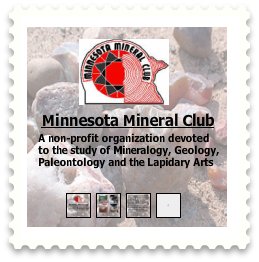
Wow, there was a lot of information in Thing 25! In previous posts, I have commented on posting by e-mail (very cool!) and Blogger for Word (aargh!). I am familiar and very comfortable with widgets, gadgets and stuff. I have created a widget for the Minnesota Mineral Club (pictured here) using Sprout.

As a result of Thing 25, I have added Twit This, a search box and Apture to this blog. I also added a Clustrmap to the Minnesota Mineral Club blog. Even though I didn't add some of the items to my blog for this "thing," I have used PollDaddy, Animoto, PictureTrail, and SlideShare in the past.

Odiogo is something I wanted to try, but I was having trouble getting it to work. I have sent a help request to Odiogo, but haven't heard back from them yet. If I get a reply from Odiogo, I may try this at a later time. I may also investigate FeedBurner further.

The gadgets that I don't intend to use at this time are comment tools, statistics collection and the "get social" gadgets. These tools seem, to me, to be for more professional bloggers with higher readership.

I spent approximately 8 hours learning and trying the things in Thing 25. Apture is, by far, my favorite thing that I learned (refer to previous separate post). I think the possibilities of this application are almost limitless and it really enhances the information you deliver to your readers. The second runner up, in my favorites list, is posting by e-mail. Learning how to back-up my blogs was very valuable!

Tuesday, October 21, 2008

Try Sprout a Widget!

I was reading "PC World" magazine (November 2008) today and saw a blurb about SproutBuilder. Using this website, you can create your own widgets! Of course, I had to try it out, and found the site pretty easy to use. For my first attempt, I used one of their pre-made templates. This was very easy to use, but the drawback is that you cannot edit any part of the template features. So, I then created my own widget from scratch for the Minnesota Mineral Club. The widget includes a main page that links to the Minnesota Mineral Club's website, a photo gallery page, a meeting information page and a map page. There are thumbnails on the bottom of each page to navigate to the different pages. I have my widget posted here on the side bar of my blog, just below my "Schmap!! New Orleans" widget. I also published it on my iGoogle page and plan to add it to my Facebook page. My hope is that the rock shops in Minnesota will add it to their websites. This was a fun website to explore...you should try it!