Showing posts with label Blogs. Show all posts

Thursday, March 26, 2009

Fargo-Moorhead Flood 2009 and Social Networks

The article "Social Networks Helping the Flood Effort" makes me appreciative and proud to be learning "More Things."

Click to play this Smilebox slideshow: Fargo-Moorhead Flood 09
Create your own slideshow - Powered by Smilebox
Make a Smilebox slideshow

My daughter took these photos. I used Smilebox to create the slideshow.

Thursday, March 5, 2009

Recipe Swap Meme

swap blogpost
The I Have to Say... blog is hosting a recipe box swap today, so I'm trying it out. So far all of the recipes look yummy! My recipe was forwarded to me by my sister last week. It is from Allrecipes.com.

Winter Fruit Salad with Lemon Poppyseed Dressing

Dressing Ingredients:
1/2 cup white sugar
1/2 cup lemon juice
2 teaspoons diced onion
1 teaspoon Dijon-style prepared mustard
1/2 teaspoon salt
2/3 cup vegetable oil
1 tablespoon poppy seeds

Salad Ingredients:
1 bag mixed baby greens
4 ounces shredded Swiss cheese
1 cup cashews
1/4 cup dried cranberries
1 apple, cored and diced
1 pear, cored and diced

Directions:
In a blender or food processor combine sugar, lemon juice, onion, mustard and salt. Process until well blended. With the machine still running add oil in a slow, steady stream until mixture is thick and smooth. Add poppy seeds and process just a few seconds more to mix.

In a large serving bowl toss together the baby greens, shredded Swiss cheese, cashews, dried cranberries, apple and pear. Pour dressing over salad just before serving and toss to coat.

Verdict:
We like this salad so much that it is almost classified as a dessert! Fun way to get those fruits and veggies.

Tuesday, March 3, 2009

Embed Music - Try #3

There were students in the computer lab today working on iMovie projects. I was trying to help them find music that they could legally download for free. As I was searching for music sites, I wanted to try to embed music into a blog post. This is not as easy as you might think. After several failed attempts, I think this will work (hopefully). I actually created a movie with Windows Movie Maker using a still digital photography and an MP3 version of the song. I then created the movie and saved it in Windows movie format. I'm now going to try to embed this into my blog.

"Do You Know?" (the ping pong song) by Enrique Englasias is my all-time favorite song to do abdominal workouts to (i.e.: crunches, sit-ups, etc.). It has a great beat to follow. The picture is a collage of photos I took at a Jazzercise convention in New Orleans in July of 2008. I hope you enjoy, even if you are doing crunches!

Tuesday, February 3, 2009

For the Curious - Thing 25


Using Dynamic Favicon, I created favicons for my blog (SZSRocks), the Minnesota Mineral Club blog and the ERHS Media Center blog. I uploaded the images that I wanted to use and the conversion to favicon was quick.

Following the instructions provided by Blogger Book, I successfully added customized favicons to each of these blogs. This is a very easy and fun way to customize your blog!

Bloggers' Toolkit - Thing 25

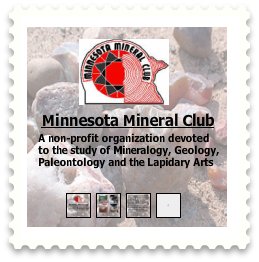
Wow, there was a lot of information in Thing 25! In previous posts, I have commented on posting by e-mail (very cool!) and Blogger for Word (aargh!). I am familiar and very comfortable with widgets, gadgets and stuff. I have created a widget for the Minnesota Mineral Club (pictured here) using Sprout.
As a result of Thing 25, I have added Twit This, a search box and Apture to this blog. I also added a Clustrmap to the Minnesota Mineral Club blog. Even though I didn't add some of the items to my blog for this "thing," I have used PollDaddy, Animoto, PictureTrail, and SlideShare in the past.

Odiogo is something I wanted to try, but I was having trouble getting it to work. I have sent a help request to Odiogo, but haven't heard back from them yet. If I get a reply from Odiogo, I may try this at a later time. I may also investigate FeedBurner further.

The gadgets that I don't intend to use at this time are comment tools, statistics collection and the "get social" gadgets. These tools seem, to me, to be for more professional bloggers with higher readership.

I spent approximately 8 hours learning and trying the things in Thing 25. Apture is, by far, my favorite thing that I learned (refer to previous separate post). I think the possibilities of this application are almost limitless and it really enhances the information you deliver to your readers. The second runner up, in my favorites list, is posting by e-mail. Learning how to back-up my blogs was very valuable!

Monday, February 2, 2009

Trying Out Apture - Thing 25

I would like to see how Apture works, so I'm trying it out with this post. Let's see how it works!

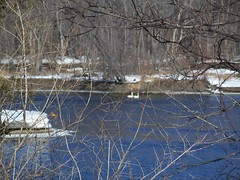
Swans on Mississippi River 2

On Sunday, Steve and I went geocaching at Otsego Regional Park in Otsego, Minnesota. There are five caches hidden in this park and we found all five. Our Jack Russell Terrier accompanied us and had lots of fun running and playing in the snow. The park sits on the bank of the Mississippi River. We were fortunate, on Sunday, to see a flock of swans land in the river and we took some photos of them.

Thursday, January 29, 2009

Blogger for Word - Thing 25

I was excited to try Blogger for Word, which allows you to type posts in Word and then publish to Blogger. I successfully downloaded and added the Blogger for Word toolbar to Word and typed a test post to publish to my blog. Unfortunately, when I went to publish it, it didn't work. I went to Blogger Help and discovered that Blogger for Word is no longer available or supported and they are not planning on bringing it back at this time. I left a comment in Thing 25 regarding this. Bummer!

Copied from Image:Monkey-typing.jpg on Wikipedia. The image description page states it is public domain.

Posting to Blog from E-Mail - Thing 25

I'm just sitting here watching Modern
Marvels
on the History Channel while
working on Thing 25 (that's
right...I'm multitasking!). Today's
episode is on technology in the 90's,
i.e. the internet, world wide web,
Amazon, Google, Furby's, etc. Talk
about a trip down memory lane! It is
amazing how quickly technology is
changing. I am actually typing this
post in an e-mail and when I click
"Send", hopefully it will post to my
blog. I think I have my Blogger
settings set up to do this. The
"Subject" in my e-mail should be the
post title and I am going to try and
attach a picture to see where it is
placed in the post...hopefully! Well,
here it goes, wish me luck!

P.S. The picture is from "The Commons"
in Flickr. It is copyright free from
the Smithsonian Institution.

Tuesday, January 27, 2009

New Look for Blog? - Thing 24


Number 1 on the Thing 24 "to do" list is "Find a new look for your blog." Oh, the quandary! I really, really like the way my blog looks and have worked hard to get it to this place...but can I not actually do a Thing requirement? I know how to change templates and fonts/colors, but I really don't want to change my blog's look.

The Solution:

I maintain not only my SZSRocks blog, but also am a co-author of the ERHS Media Center blog, and I have recently created and will be maintaining a blog for the Minnesota Mineral Club (MMC). Since my MMC blog is currently under construction and hasn't been advertised yet, I decided to try a new template from a third party site (as recommended in "For the Curious" in Thing 24), for this blog. I really liked a lot of the templates at mashable.com, but quite a few of them, including the one I wanted to use, are in a foreign language! That was draw back #1. Not to be discouraged, I clicked on the link listed for "How to Install" in "Thing 24: Curious" and followed the directions....Success!

Now, for the rest of the story...

My newly loaded template deleted quite a bit of text I had posted, rearranged and deleted some of the gadgets I had added and basically really goofed up my blog. I was extremely grateful that I hadn't messed with my SZSRocks blog. After my initial panic, I calmed myself and decided I could "fix" this. After trying various things for close to 2 HOURS...yes, I can be a little obsessive...my blog was still broke. When I embedded the new template, my "Layout" tab vanished and was replaced by a "Template" tab. This meant that I could do very little "fixing" or editing of this blog. In severe frustration mode, I searched the Blogger help, found a similar post thread and posted a question as to how to "fix" my blog. No response. Went to bed. Still frustrated and annoyed. Don't like feeling like this. Seriously thinking about deleting the blog and starting from scratch. In the morning, as a last ditch effort, I did a little more searching and found the 20 Sticky Posts blog. I found a post describing my EXACT problem, followed his directions to get my "Layout" tab back, it worked flawlessly, and I then posted my extreme thanks in the comments section of his post. He even replied to my comment. I bookmarked the 20 Sticky Posts blog in Delicious and I highly recommend you do it too. All is right with the world again!

The moral of this story: If it ain't broke...don't fix it!

To Do List - Thing 24

Blog Page Elements
1. Find a new look for your blog. This one deserves it's very own post. I will post about this one separately after this recap.

2. Take a look at Page Elements.
Since finishing "23 Things", I have continued to play around with new gadgets for my blog. Gadgets I have added include RSS subscribe buttons for my blog, delicious badge and bookmarks link, Twitter updates, Atlas Quest stats, Geocaching stats, Geocaching web ring, list of my favorite blogs, Rock Star badge from a blogger I follow, my Facebook badge, a Minnesota Mineral Club widget (I created) and a New Orleans badge (they used my Arnaud's photo!). I am very comfortable adding and deleting page elements. One gadget I would like to see from Blogger is a drop down menu of my post labels, similar to blog archives. This would help keep my blog in better proportion. Just wishin'!

3. Add some information to your profile. I had filled out my profile pretty completely when I set up my blog for "23 Things", including a profile picture. It is fun to click on the link of one of your interests and find other bloggers with the same interest...it really is a small world, isn't it! For Thing 24, I added my Flickr photos and other blog links to my profile.

4. Consider your display name. I changed my blog profile to my first name, but will continue to use SZSRocks as my blog title. I use SZSRocks as my identity for many different websites, so will not be abandoning it anytime soon.

5. Time to give that avatar a new look.
I hadn't touched my avatar since Thing 1 during "23 Things." I had, in fact, thought about deleting it from my blog. That being said, I forgot how fun it was to play around with avatars. I have now changed and added my new avatar to my blog. I used Yahoo avatars, like I did in Thing 1. She is in a winter setting. I lost track of time investigating all of the avatar options...it really is fun! It reminded me again of how easily it is to get distracted on the web.

6. Register your blog. The SurveyMonkey form was very easy to use. My blog shows up in the CMLE blog listing. Success!

Saturday, November 8, 2008

Twitter

Steve and I worked outside all day today and it was really cold and snowy. Because of this, I wimped out and didn't go to the Minnesota Mineral Club meeting tonight, opting instead to stay home, keep warm and read my latest book, "The Genesis Code" by John Case. I went on-line to check e-mail, and got a little side-tracked after reading a blog I'm following in my RSS feed. It talked about Twitter and so, I decided to sign up. I e-mailed a couple of friends to join me. I guess I'm a little confused. I thought I was going to be able to search Twitter for people who have common interests and then follow their tweets. I have not figured out how to search for people via their interests. I'm not sure I have time to keep following everyone until I find someone who posts something that interests me. Does that make sense? If you have any pointers for me, please leave me a comment. Here's a link to my Twitter profile: SZSRocks Twitter Profile

Friday, April 18, 2008

Blogging in the News


I just ran across an interesting article on CNN.com relating how the Los Angeles Times is using a blog to enhance their news coverage. It is interesting. Here's the link if you want to check it out:

Monday, February 18, 2008

Thing 1 - Change Template and Labels along with Family Humor

I can't help it! I'm stuck on Thing 1. After family and friends gave me some helpful suggestions about my blog, I changed the background template (they said the dots, with the dark background with white lettering was too hard to read) so hopefully this one is better. I also changed how I am labeling my blog entries. Last, but not least, my sister asked why my blog was in German...very funny...after my initial panic attack!

Friday, February 15, 2008

Thing 1 - Slideshow Success and On To Thing 2!

Success! I tried again to embed a slideshow from PhotoBucket and was successful this time. I better move on to Thing 2 now!

Thing 1 - Word Puzzle

Oh, I forgot to write about creating a word puzzle and adding it to my blog page. It is really cool! I created the puzzle at Quizilla.com and then embedded a link to the game on my blog page. This is too much fun!

Thing 1 - Adding Fun Stuff and Slideshow Trouble

I have been having so much fun exploring the options and creating my blog page. I have added a visitor counter, a poll, a list of favorite web sites and a welcome text. All of this was successful. I was feeling really proud of myself...then I ventured into a slideshow import. I set up a PhotoBucket account and uploaded several pictures into it. I then created a slideshow in PhotoBucket and saved it. I then clicked the button to embed my newly created slideshow into my blog. Nothing appeared to happen, so I clicked the button again. Still nothing noticeable happened. Rather than clicking the button yet again, I went to view my blog. To my great dismay, PhotoBucket had placed two slideshows (since I clicked the embed button twice) in the post section on my blog page. I never got a choice to indicate where I wanted the slideshow to be placed. After much "Help" page searching on both the blogger web site and Photobucket (over an hour), and subscribing to the Blog Help Group and posting a question on how to delete the slideshow (it was no where to be found on the layout editing page) and getting no responses, I finally discovered where to delete posts. I am now going to try again, this time copying the slideshow HTML from PhotoBucket and pasting it into the layout. I'm crossing my fingers hoping that it will work this time! The moral of this story is something my mom used to quote, "Pride cometh before the fall." I guess I was getting a little too confident in my ability!

Thing 1 - CMLE Blog List

My blog is now included in the "23 Things on a Stick" CMLE blog list. I browsed the other participant blogs and posted a message on one of them.

Thursday, February 14, 2008

Thing 1 - Photo and My Profile

It is so fun playing around with this! I successfully added a picture to my blog profile...YIPPEE! Also, it's fun to click on the links in my profile to find other bloggers with similar interests.

Thing 1 - Set Up Your Blog and Avitar

I just finished my blog set-up and registration for "23 Things on a Stick". I had a little trouble exporting my Avitar to my blog page, but then actually read the directions and it was much easier! I'm looking forward to learning many new things during this learning challenge.